Modern technologies have long been integrated into the military sphere. They have become not just an advantage on the battlefield, but a necessity. In addition to unmanned systems, electronic warfare (EW) and electronic reconnaissance (SIGINT) equipment, artificial intelligence, and navigation systems, interactive panels are also used to perform tasks.
They are used in schools (for working with educational materials) and business (for presentations and training), but today we will talk about the role of interactive equipment specifically in the defense sector.
The material was prepared by the Flash Army team. In the article, you will find tips on choosing, key technical specifications, and advantages of interactive panels.
What are interactive panels and their role in the military sphere
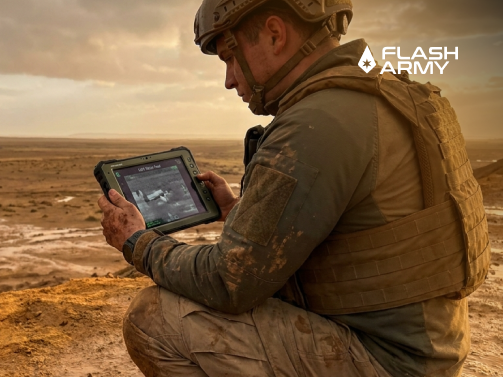
Interactive panels — are large-format touch displays that combine the functions of a computer, projector, and whiteboard in one device. They are similar to large tablets, which can not only display information but also interact with content in real-time (write, draw, etc.). Special styluses or simply finger touch are often used for this.
The principle of operation is that the panel allows you to open files, work with maps, videos, presentations, and other data. Users can change information directly on the screen: make notes, move objects, scale images, or collaboratively edit materials.
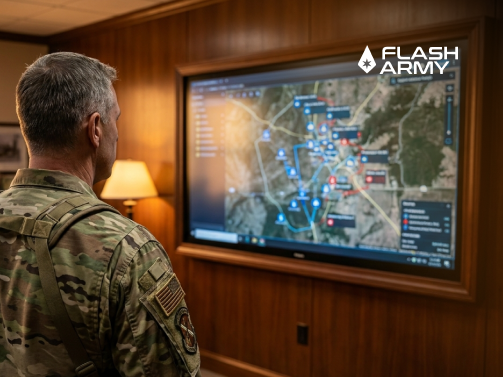
In the military sphere, interactive panels are used for simulating combat scenarios, visualizing tactical maps, coordinating actions, conducting briefings, and analyzing data. They provide better visualization, accelerate decision-making, and increase planning efficiency, which can affect the success of combat missions.
Use in training and planning
Interactive displays can be useful in training centers, military educational institutions, and command posts.
Training exercises
During training, these technologies provide visual modeling of combat operations, fire training, tactical planning, and pre-hospital care practice. In such scenarios, the panel acts as a virtual training ground with conditions as close to real as possible.
Operations planning
During preparation for operations, interactive panels help to structure information effectively. For example, you can draw the location of your and enemy positions, outline directions of movement, risk zones, and other strategic data.
Command centers
In command centers and mobile posts, interactive panels become part of the central management tool. They combine information from various sources (intelligence, video streams from drones, and communication means) and display it in a convenient format. This allows for prompt coordination of units and simultaneous work on tasks by several participants.
Key features and advantages
Interactive panels for military use have a number of advantages:
- clear visualization of information;
- touch control capability: you can make notes, move objects, scale maps, etc.;
- portability and durability ensure easy transportation and deployment in field conditions;
- integration with other information sources and devices (drones, cameras, and navigation systems);
- ability for multiple users to interact simultaneously;
- ease of use.
Important characteristics when choosing
Interactive panels can differ in purpose, screen diagonal, RAM and internal memory, as well as operating system. When choosing equipment, we recommend considering primarily the tasks that will be performed using the panel. This can be training, planning, or management.
In addition, pay attention to the following characteristics:
1. Size, resolution, and protection.
The panel size should be selected according to the room size and the number of users. The most common options have a diagonal from 55 to 75 inches. Larger screens (86+ inches) are better suited for group use.
Resolution determines image clarity: the higher it is, the better the quality. The standard for modern interactive panels is 4K (3840 x 2160).
Protection must be high to withstand unpredictable field conditions. It is implemented with protective glass, a durable casing, resistance to dirt, moisture, and mechanical damage.
2. Software and device compatibility.
An interactive panel usually supports Android (for simple tasks) and Windows (via an embedded or external PC module) operating systems. Integration with geographic information systems (GIS) allows working with maps and satellite images. They can also be securely connected to computers, cameras, drones, and network systems.
Conclusion
If interactive panels were previously perceived primarily as a tool for education and business, today they perform much broader functions. In particular, they are used both for teaching basic first aid skills and for supporting operational and tactical decision-making during combat operations.
Thus, interactive panels have become an important tool in the modern military sphere, combining the capabilities of visualization, data analysis, and collaborative work in a single digital environment. They allow optimizing the training process, planning operations, and ensuring effective coordination of units in real-time.
You can buy available models of interactive panels and other interactive equipment in the Flash Army online store. When choosing, it is worth considering the conditions under which you will use the equipment.