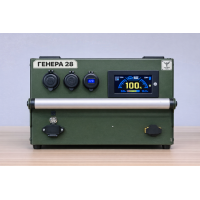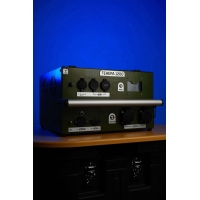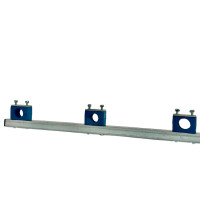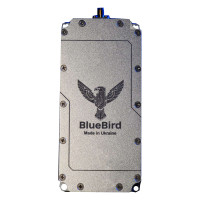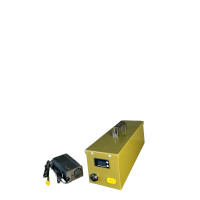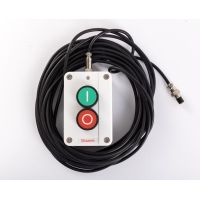



Air safety and counter-drone measures involve selective interference and ensuring the integrity of radio frequency channels. "Obereg" targets and jams only signals originating from an incoming source. This prevents unforeseen interference, regardless of its origin. The design considered critical circumstances, especially in situations where UAV attacks are possible, such as airports, military, or law enforcement operations. Obereg PRO has 6 operating bands and removable batteries, which allows for extended device operation time on position.
Frequency Range and Power:
| Frequencies | Power |
| 2400-2500 MHz | 40 W |
| 5725-5850 MHz | 50 W |
| 1560-1620 MHz | 20 W |
| 5150-5350 MHz | 30 W |
| 860-930 MHz | 30 W |
| 1160-1280 MHz | 10 W |
Power Supply: Features a removable, easily replaceable battery. Powered by 220V.
Usage Recommendations:
1. The operator must identify the drone type and enable the necessary frequency bands.
2. First, select the ''frequency band button switch'' to determine the function required to counter the drone.
3. Align the front of the device with the drone, and the ''frequency band'' switch will show ''blue indicator on'', meaning it has started operating.
4. With direct line of sight to the drone, 900 MHz / 1.2 GHz / 1.6 GHz / 2.4 GHz / 5.26 GHz / 5.8 GHz frequencies are fully enabled to force the aircraft to land, or create conditions where the drone loses control and returns. In this operating mode, the device has high energy consumption and operates for a short period of up to 10-15 minutes.
5. Generally, it is mandatory to suppress GPS/GLONASS 1.2 GHz and 1.5 GHz signals (the corresponding modules have low consumption). The maximum battery life when jamming such GPS signals (1.2 GHz + 1.5 GHz) is 60-80 minutes. The 5.2 GHz and 5.8 GHz frequency bands are typically used by commercial drones like DJI and similar models, which use ''proprietary'' remote controls or expensive drone-to-operator image transmitters.
The consumption of these transmitters is high, and it is advisable to enable them only after confirming the drone type.
6. The battery level indicator shows the battery charge level. After each use, check the battery charge level. If it is below 30%, it should be recharged promptly.
There are no reviews for this product, be the first to leave your review.
No questions about this product, be the first and ask your question.