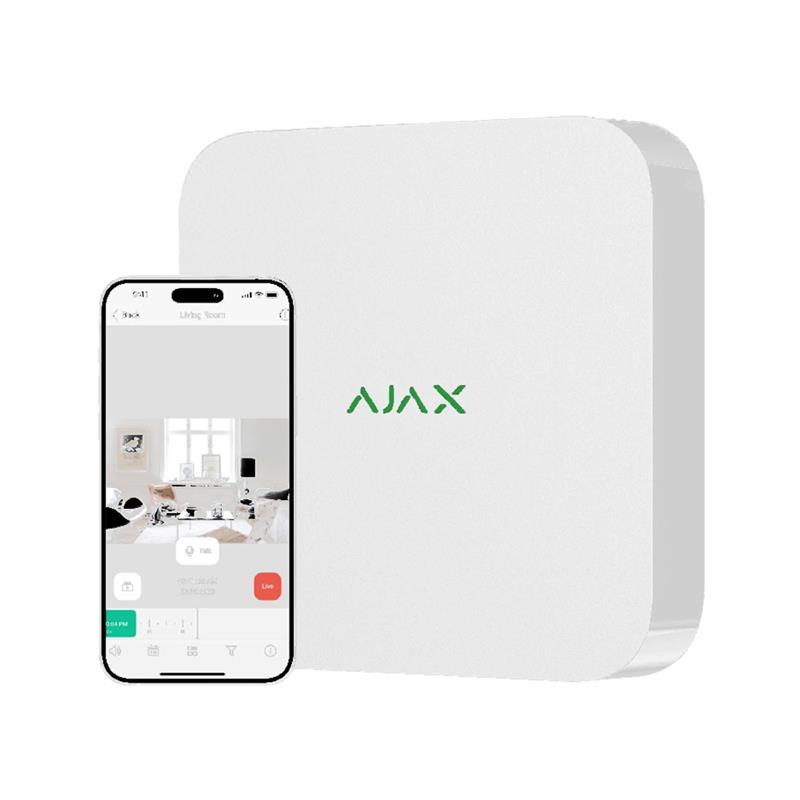






The Ajax NVR network video recorder ensures seamless integration of third-party cameras into the Ajax system. It guarantees full synchronization of the camera with security devices. Navigation is convenient: all events are recorded in the log and marked on the video archive timeline. You can set up a scenario, and cameras will automatically start recording when sensors are triggered.
Key features of this device include:
- Support for simultaneous servicing of 8 or 16 video stream channels with resolution up to 4K.
- Ability to use a storage drive with a capacity of up to 16 TB.
- Presence of a software motion detector that constantly analyzes images, with the ability to configure the detection zone in Ajax applications.
- Easy transition from an event in the log to the video recording of that event in the archive.
- Display of visual system data in the Ajax application, including data from MotionCam sensors.
- Ability to create a scenario where Ajax sensors activate selected cameras and start video recording for quick visual verification, which can be viewed on a smartphone or PC via the corresponding application.
The Ajax NVR interface is convenient for switching between video streams, and the video archive loads instantly, with maximally smooth timeline navigation. It can work with cameras using DHCP network identification, and no additional local network settings are required. Connection and setup are easily performed via the secure Ajax Cloud server, both on-site and remotely. You can monitor cameras in real time via the mobile application or create your own monitoring station in the Ajax PRO Desktop application.
Account protection is a high priority, and it is ensured through various methods such as password, biometrics, two-factor authentication, and session control. Users can control access to individual video streams and real-time photos thanks to the "Privacy" menu. The archive also has comprehensive protection, including a unique visual data recording pattern and physical tracking of storage drive connection. The Ajax application records all connection or disconnection events and sends notifications to Ajax applications. After system installation, there are no weak points for unauthorized access thanks to temporary access for PRO accounts and the system administrator role. Access to the video stream in the Ajax system is only possible with the system administrator's permission.
Extended description of the Ajax NVR network video recorder:
Product versions:
- Ajax NVR (8 channels) - 8-channel network video recorder
- Ajax NVR (16 channels) - 16-channel network video recorder
Innovative integration of security into video surveillance
Ajax NVR is the result of collaboration between video surveillance and the Ajax system. Experience the distinct difference of a system that provides instant access to the video archive even on the go. Broad compatibility allows integrating almost any IP camera into the security and automation system. Ajax NVR inherited the advantages of a professional security system trusted by millions of users worldwide.
Key features:
-
Instant alarm verification in high resolution: Provides support for the highest resolution for instant alarm verification.
-
ONVIF/RTSP support: Ability to use ONVIF/RTSP for integration with various IP cameras.
-
Motion detection settings for cameras: Configure motion detection areas for cameras with convenient settings.
-
HDD status notifications in the application: Receive hard drive status messages directly in the application.
-
Fast archive navigation with dual-stream technology: Fast and efficient navigation through a large archive thanks to dual-stream.
-
Archive synchronization with system events: Important events are synchronized with archive records for easy searching.
-
Virtual video wall setup: Create your own video wall for simultaneous monitoring.
-
Automatic camera search in the network for quick connection: We provide a convenient camera connection procedure.
-
SmartBracket panel with tamper: The SmartBracket panel allows mounting the device without disassembling the casing and provides additional protection.
-
Support for SATA HDD up to 16 TB: Ability to use large hard drives to store large amounts of data.
-
Remote control and configuration: Ability to remotely control and configure the device via the application.
-
Multi-level protection: 2FA, session control, and password/biometric login: Maximum level of security for your data.
-
H264/H265 support: Support for various video compression formats.
-
Two colors: Device available in two different colors.
Video wall for simultaneous monitoring
Integrate all camera data using a well-designed interface. The Video Wall tab contains current footage from IP cameras and MotionCam series sensors, giving you a complete picture of your space. Change the tile arrangement to your liking. The video wall is available in both mobile and desktop applications.
Maximum comfort in working with the archive
Access the archive with a single click on an event in the notification log. Instantly jump to the desired camera recording by the event timestamp. All this is available in one click thanks to advanced features such as motion or scenario filters, calendar view, and quick export options. Now you don't need to spend hours searching for the right video segment.
Fast and encrypted data transfer
Ajax JetSparrow is a data transfer technology that ensures fast operation of the video management system. Browsing the local archive on the HDD becomes extremely efficient, and real-time viewing starts without delays. JetSparrow provides:
- Peer-to-peer data transfer
- TLS encryption
- High stability
Notification synchronization
System notifications in the application allow you to easily go to the corresponding camera and view the event. This transforms the application into a full-fledged security and video surveillance solution.
High-quality alarm verification
Set up a scenario where Ajax sensors activate specific cameras and start video recording. Configure video parameters for instant high-resolution visual alarm confirmation.
Enhanced AI camera capabilities
Optimize video archive with pixel motion detection settings. Activate recording only when motion is detected in specified areas. This saves hard drive space and facilitates archive navigation. AI sensors in Ajax cameras recognize people, cars, and pets. These sensors are equipped with convenient filters for easy searching of segments with specified objects. Additionally, video recordings are color-coded according to the trigger that initiated the recording.
Absolute privacy guarantee
All data is securely protected within the European Union in accordance with European standards. Ajax NVR complies with NDAA requirements and includes hardware that has already been verified by US government-approved manufacturers. We ensure a high level of cybersecurity and restricted access to visual data while maintaining confidentiality.
Account protection: Video access is through the Ajax application, with the ability to protect the account using a password or biometric data. Two-factor authentication and session control are also available.
System under end-user control: After system installation, control over it belongs to the end-user. Access to view video in the Ajax system can only be granted with the administrator's consent.
Manage video surveillance with Ajax IP cameras
You can control the system with Ajax IP cameras without needing to enter passwords. TurretCam, BulletCam, and DomeCam cameras provide you with absolute control and privacy.
Hassle-free installation and setup
NVR connection is quick and simple. No need to spend hours connecting each device separately and adding users manually. All this is easily configured via the Ajax application, even remotely. Monitor system status, including remaining hard drive space, temperature, CPU load, remaining RAM, etc.
- Connection: Connect the NVR to the network.
- Mounting: Install the SmartBracket panel for mounting without disassembling the casing.
- Setup and testing: All settings and testing are performed via the application for smartphones and PCs.
- NVR status information: Monitor NVR status in real time via the Ajax application.
This information provides a general overview of Ajax NVR and its key features. NVR can be useful for video surveillance and security in various scenarios, from home use to business environments.
There are no reviews for this product, be the first to leave your review.
No questions about this product, be the first and ask your question.